Seeder - Minecraft seed map, finder & explorer
Search and analyze any Minecraft seed. Discover biomes and structures, find seeds with the biomes you want. All in your browser!
or explore your own seed:
Tip: in a world you already play, type /seed in the chat to get its seed.
Seeder: 2.2.1 · Works up to Java: 26.3 · Bedrock: 26.60
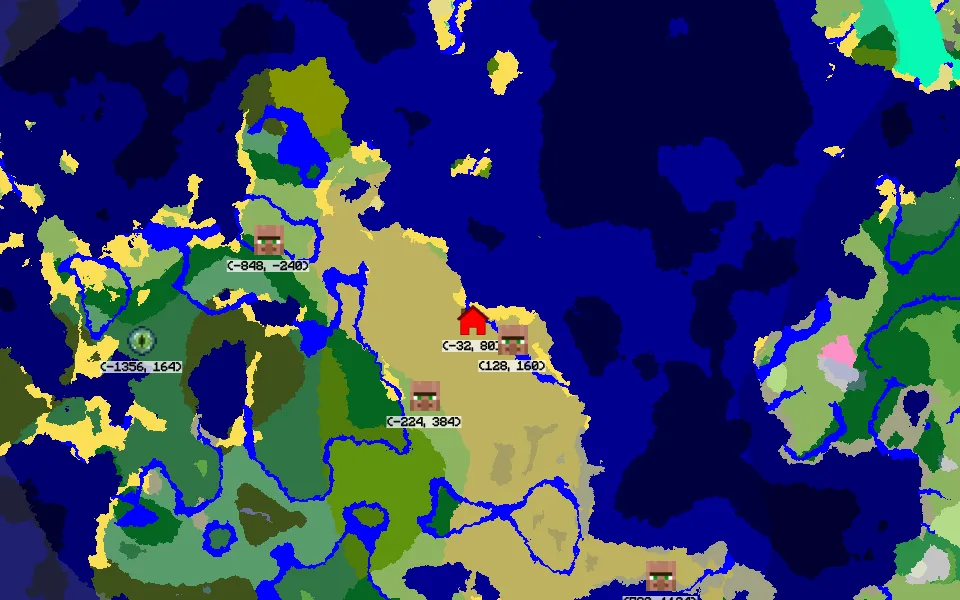
Seed map
Open a seed on an interactive biome map. Find spawn, strongholds and structures. In the Overworld, the Nether and the End. At any height.
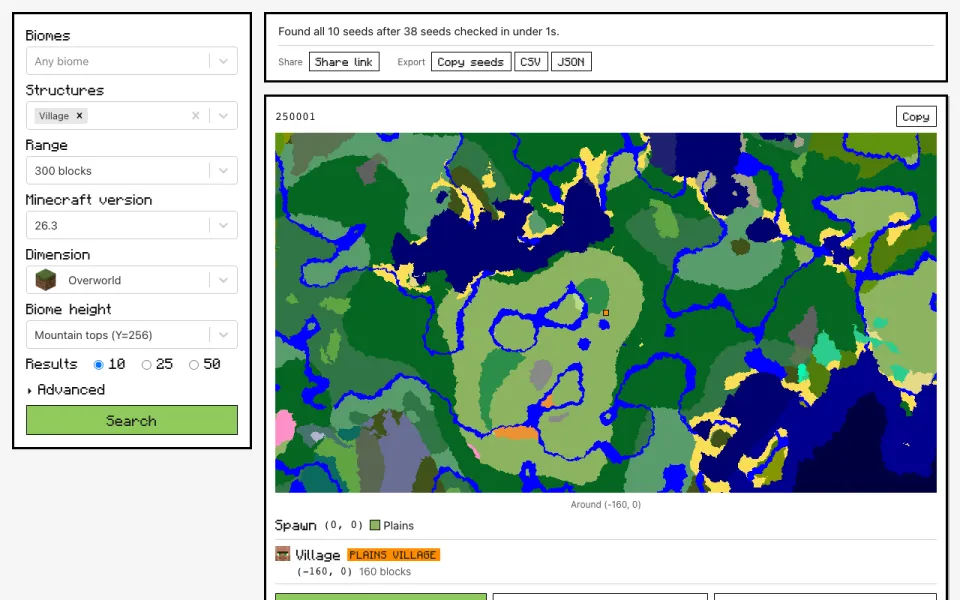
Advanced finder
Describe the world you want, with biomes and structures near the world centre, and get a list of seeds that match. Open, save and share them.
 Tools
ToolsTools to help you play in your existing world: find where to build your Nether portal, find structures, locate biomes, plan farms and even build circles!
 Seed lists
Lists of cool hand-picked seeds I found to help you start a new world, whatever your play style. Each one with the coords of interesting structures and a map preview.
What's new
2.2.0 · Ice caves
- Added the Java 26.4 Snapshot and Bedrock 26.70 Preview.
- On Bedrock 26.70, trial chambers, monuments and shipwrecks avoid ice caves.
- Fixed: at "Deeper underground (Y=-30)" the map, the finder and the biome tools read biomes 4 blocks too high.
- For older versions (1.13 to 1.17) spawn is now more accurate.
2.1.0 · Save your locations on the map
- Tap or click anywhere on the map and press "New location" to mark your base, portals, farms or where you died. Long-press on a phone, right-click on a computer.
- Share a world with all its locations in one link: whoever opens it sees them and can save them too.
- My worlds is now a page of its own, with your saved worlds, the seeds you looked at lately and a backup file.
2.0.0 · Bedrock Edition support is here!
- Bedrock from 1.18 to 26.60. Choose your edition using the Java | Bedrock switch on the map, in the finder and in the tools. Seeder will remember your pick.
- Biomes, structures, the Nether, strongholds and slime chunks will all work using Bedrock's rules, checked against Mojang's own Bedrock server. The spawn and the End are approximate.
- A Bedrock page explains what changes between the two editions, plus Bedrock seed lists and a page for every Bedrock version.
- Also: Map icons that overlap now spread out without covering each other.
- The finder no longer searches the End. I couldn't find a real use for it and it was a pain to support.
FAQ
What is a Minecraft seed?
A seed is the number Minecraft starts from when it generates a world: the same seed on the same version always gives the same terrain, biomes and structures. You can type one when you create a world, as a number or as text, which the game turns into a number (Seeder does the same). In a world you already play, the /seed command shows it.
Does Seeder work for Bedrock Edition?
Yes (finally)! You can easily choose which version to use in every page and the Bedrock page explains what is different.
Where does Seeder run?
In your browser. The world generation comes from cubiomes, a C library compiled to WebAssembly, and runs on every core of your device. Nothing you type is uploaded! Searches use a lot of CPU, so your device may slow down while one runs.
Which Minecraft versions are supported?
Java Edition from Beta 1.7 to 26.3, and Bedrock Edition from 1.18 to 26.50 - 26.60. Pick the version your world was created with: world generation changes between versions, so the same seed can look different on another one.
Why are biome searches slow on 1.18 and later?
Since 1.18, Minecraft builds biomes from 3-D noise instead of the old 2-D layers, which makes checking a seed for a biome about a hundred times more expensive: within 300 blocks, one core checks about a dozen seeds per second. Keep the biome range small, or better, add a structure: only seeds that already have it get their biomes checked.
Can I trust Seeder? Who pays for it?
Nothing leaves your browser! Google Analytics counts visits and Google AdSense shows ads, but that's it, everything else is done in your browser. Donations through the buttons at the bottom of the page help pay for it, and the About page tells the rest.
Popular seed searches
Ten nice seeds for each popular search, with coordinates and a map:
Support Seeder!
Seeder is free, paid for by ads and by donations: the PayPal and Buy Me a Coffee buttons are at the bottom of every page.